
How to Plan Website Pages for a Growing Small Business
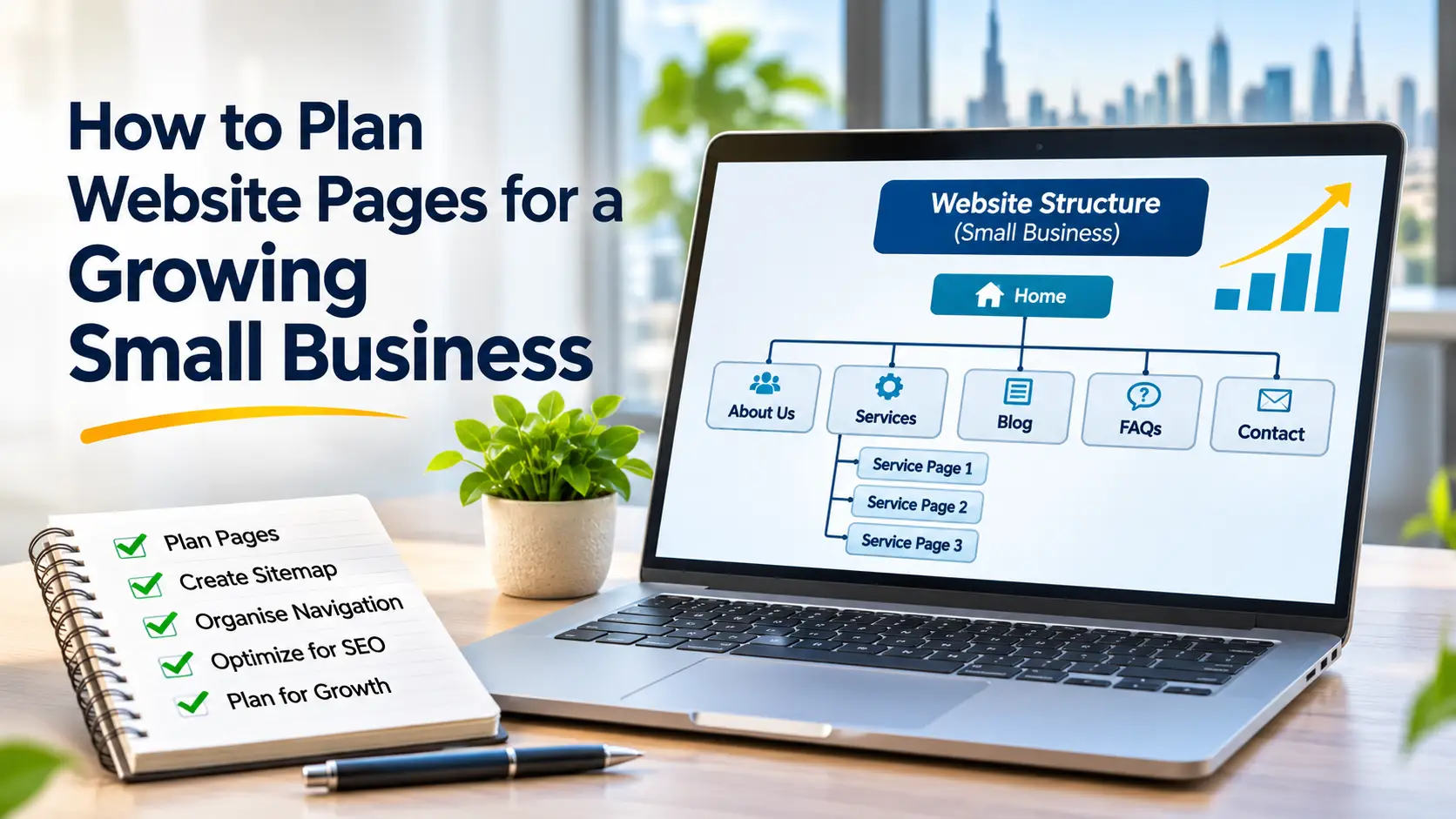
A small business website often starts with a few basic pages. There is a homepage, an About Us page, some information about services, and a contact form. This may work when the business is new, but as services expand and customer needs change, the website can become difficult to navigate.
Without proper planning, businesses may add new pages wherever they fit. Important services become harder to find, navigation menus become crowded, and visitors struggle to understand what the company offers.
A well-planned small business website page structure helps prevent these problems. It gives every page a clear purpose, helps customers find information, and allows businesses to expand their websites without rebuilding everything.
The goal is not to create as many pages as possible. It is to organise the right information in a way that supports customers and business growth.
Why Website Page Structure Matters for Small Businesses
Website structure describes how pages are organised, connected, and presented to visitors.
Think about a customer visiting a cleaning company website. They want to know whether the company provides office cleaning, what areas it serves, and how to request a quotation. If all the information is mixed into one long page, finding a specific answer may take longer. A clear structure, with separate pages for important services and an accessible contact section, makes the process easier.
A logical website structure can help businesses:
- Present their services clearly.
- Make important information easier to find.
- Guide visitors towards enquiries or purchases.
- Connect related information through internal links.
- Help search engines find and understand pages.
- Add new services or business locations later.
A website does not need dozens of pages to achieve these goals. It needs a sensible structure based on what customers expect to find.
Start With Your Business Goals Before Planning Pages
Before deciding which pages to create, identify what the website needs to achieve. A small accounting firm, an online clothing store, and a property maintenance company may all need professional websites, but their page requirements will be different.
Identify the Main Purpose of Your Website
Consider what you want visitors to do.
|
Business goal |
Pages to prioritise |
|
Generate enquiries |
Services, individual service pages, Contact |
|
Build customer trust |
About Us, Portfolio, Testimonials |
|
Sell products online |
Categories, Products, Cart, Checkout |
|
Explain complex services |
Service Details, FAQs, Resources |
|
Serve different industries |
Industry Pages, Case Studies |
|
Support local customers |
Contact, Service Areas, Location Details |
Choose one main goal and a few supporting goals. For example, a maintenance company may primarily want quotation requests while also needing to show its completed projects.
Understand What Your Customers Need
Think about the questions customers ask before contacting your business.
- What services are available?
- Does the business work in my location?
- What experience does the company have
- Can I see previous projects?
- How do I request a price?
- What happens after I submit an enquiry?
Your website pages should answer these questions without making customers search through unrelated information.
Essential Business Website Pages You Should Plan
Most small businesses need a few core pages before considering advanced features. The following essential business website pages provide a practical starting point.
Home Page
The homepage introduces your business and guides visitors towards important information. It should clearly communicate what your company does, who it serves, and what customers should do next.
- A short explanation of the business.
- An overview of main services or products.
- Key reasons customers choose the company.
- Links to important service pages.
- Selected projects or customer feedback.
- A clear contact or quotation button.
Avoid placing every detail on the homepage. Use it to introduce important topics and guide visitors to dedicated pages.
About Us Page
The About Us page explains who is behind the business. It can include your company’s background, experience, team, working approach, and relevant qualifications.
For a growing small business, this page helps visitors understand whether the company is established, reliable, and suitable for their needs. Focus on useful information rather than broad promotional statements.
Services Page
The main Services page gives visitors an overview of what the business offers. For example, a maintenance company might provide:
- Air Conditioning Maintenance
- Plumbing Services
- Electrical Repairs
- Painting Services
Each service should have a short description and, where appropriate, a link to a dedicated service page. The main Services page helps customers compare options rather than repeating every detail.
Individual Service Pages
When a business provides several distinct services, separate pages often make sense. For example, a company providing plumbing and electrical maintenance should consider individual pages for each service.
Each page can explain the service, common customer requirements, the work involved, and how to request assistance. Avoid creating multiple pages for services that are practically identical.
Contact Us Page
A Contact Us page should make it easy to reach your business. Depending on your operations, include:
- Business phone number and email address.
- Contact or quotation request form.
- Office address or service location.
- Business hours.
- Relevant messaging options.
- A map if customers visit your premises.
Keep forms short and request only the information needed to respond to an enquiry.
Blog or Resources Page
A blog allows businesses to publish useful information about their services, customer problems, and industry topics. For example, an accounting company might publish articles about preparing financial documents, understanding bookkeeping requirements, or choosing accounting software.
These articles can answer questions that do not belong on commercial service pages. A blog is most useful when the business can maintain it and publish genuinely helpful content.
Frequently Asked Questions
FAQs help customers find short answers to common questions.
They can be included within individual service pages or organised into a dedicated FAQ page when there are enough general questions. Avoid repeating identical questions across many pages.
When Should a Small Business Add More Website Pages?
Not every business needs a large website at launch. Additional pages should be created when they solve a real business or customer need.
Portfolio and Case Studies
A portfolio is useful for businesses whose previous work influences purchasing decisions, such as interior design studios, contractors, and creative agencies. Case studies go further by explaining the customer’s requirement, the work completed, and the outcome.
Testimonials and Customer Reviews
Testimonials can support customer confidence, especially for businesses selling services. Short reviews can often be displayed on the homepage or service pages. A dedicated testimonials page is more useful when there is enough verified feedback.
Pricing Pages
Pricing pages help when customers need to compare packages, subscriptions, or standard service options. If pricing depends on project requirements, explain what affects the cost and offer a simple quotation process.
Industry-Specific Pages
A business serving several industries may need pages explaining how its services apply to each sector. For example, a software company might create separate pages for retail, hospitality, and healthcare customers when the solutions and requirements differ meaningfully. Avoid nearly identical industry pages.
Location Pages
Businesses serving several cities may consider dedicated location pages, but each page should contain useful, accurate information about services, coverage, and local customer requirements. Avoid creating almost identical pages simply to target different places.
How to Create a Website Sitemap for a Small Business
A sitemap is a simple plan showing which pages your website will contain and how they relate to one another. When planning a website sitemap for small business use, start with the main pages and place related pages underneath them. You do not need specialist software; a spreadsheet, document, or simple diagram is enough.
Example of a Small Business Website Sitemap
Consider a cleaning company in Dubai offering residential and commercial cleaning services. Its page hierarchy might look like this:
- Home
- About Us
- Services
- Home Cleaning
- Office Cleaning
- Deep Cleaning
- Move-In Cleaning
- Portfolio
- Blog
- FAQs
- Contact
Individual services can sit beneath Services without all appearing in the main menu. This creates a foundation while leaving room for future additions.
Planning Sitemap vs XML Sitemap
A planning sitemap is a visual or written outline used to organise website pages before development. An XML sitemap is a technical file listing URLs for search engines. It can help search engines find important pages, particularly on larger or frequently updated sites. An XML sitemap does not replace clear navigation or internal links.
How to Organise Website Navigation and Page Hierarchy
Website navigation should help visitors reach important information without unnecessary steps. A useful main menu might read: Home | About Us | Services | Portfolio | Blog | Contact. If the company has multiple services, Services can have a dropdown menu.
Keep Menu Labels Clear
Use familiar page names that visitors understand immediately. “Services” and “Contact” are clearer than obscure marketing phrases.
Group Related Pages Together
Individual cleaning services should connect to the main cleaning services section rather than being scattered across unrelated menus.
Avoid Overcomplicated Dropdown MenusToo many nested menu levels make websites difficult to use, especially on phones. Keep key pages easy to reach and connect supporting pages through internal links.
Use Footer Navigation Properly
The footer is suitable for privacy policies, terms, business details, and secondary links. It should not be the only place visitors can find important pages.
How Internal Linking Connects Your Website Pages
Internal links connect one page on your website to another. They help visitors move between related topics and allow search engines to find pages through the website’s link structure.
For example, a cleaning company homepage could link to Services. The Services page could link to individual services, and each service page could link to Contact. A blog article about preparing an office for professional cleaning might naturally link to the Office Cleaning service page.
Internal Linking Best Practices
- Link to pages that genuinely help readers.
- Use descriptive anchor text.
- Link from service overview pages to individual services.
- Connect relevant blog articles to related services.
- Check that important pages are not isolated.
- Update older articles when new relevant pages are published.
Avoid placing identical keyword-rich links repeatedly on every page. Internal links should primarily help visitors.
How to Plan Website Pages for SEO
A good website structure supports search engine optimisation, but structure alone does not guarantee higher rankings. Each important page needs a clear purpose and useful content that matches search intent.
Give Every Page a Different Search Intent
|
Page |
Main search intent |
|
Home |
Understand the company |
|
Office Cleaning |
Find an office cleaning provider |
|
Deep Cleaning |
Learn about or request deep cleaning |
|
Blog: How Often Should Offices Be Cleaned? |
Get cleaning advice |
|
Contact |
Contact the business |
Use Descriptive Page URLs
- /services/
- /services/office-cleaning/
- /services/deep-cleaning/
- /blog/office-cleaning-frequency/
- /contact/
A logical URL pattern helps visitors understand the site, but URL folders do not replace proper navigation and internal links.
Write Unique Page Titles and Meta Descriptions
For an Office Cleaning Services page, a descriptive title could be “Office Cleaning Services in Dubai | Company Name”. A corresponding meta description might explain the cleaning options and invite a quotation. Each page should have a distinct, accurate title and description.
Help Search Engines Find Important Pages
Make sure important pages are accessible through standard internal links. An XML sitemap can help search engines identify URLs, but does not guarantee indexing. Avoid accidentally blocking important pages. When reorganising content, use appropriate redirects or canonical URLs where needed. If a page is removed, check whether a suitable replacement exists; do not automatically redirect unrelated pages to the homepage.
Mobile-Friendly Website Navigation and User Experience
Many customers browse business websites on their phones, so navigation must work comfortably on smaller screens. Desktop menus that look simple can become difficult to use on mobile.
- An easy-to-open navigation menu.
- Readable headings and content.
- Buttons large enough to tap comfortably.
- A visible way to contact the business.
- Fast-loading, properly sized images.
- Forms that are simple to complete.
- Clear access to important services.
Test the entire customer journey on a phone: open the homepage, find a service, read the details, and submit an enquiry.
Common Website Structure Mistakes to Avoid
Adding Too Many Pages at Launch
Pages with little useful content can create repetitive sections. Start with the pages customers truly need.
Putting Every Service on One Page
A general Services page helps with comparison, but distinct services may require individual pages with complete explanations.
Creating Multiple Pages for the Same Service
Near-identical pages targeting small keyword or location variations can confuse visitors and overlap in search intent.
Hiding Important Pages
Make key services accessible rather than burying them inside complicated menus.
Ignoring Existing URLs During a Redesign
Audit existing pages, links, and redirects before changing URLs.
Forgetting to Update Navigation
New pages should be linked from relevant menus, overview pages, and supporting content.
How to Make Your Website Structure Scalable
Keep Room for Additional Services
Organise current and future services beneath one clear Services section, so additions do not require a complete redesign.
Plan for New Business Locations
Decide how future location pages could fit, but only publish them when you have meaningful location-specific information.
Choose a Manageable Content Management System
A CMS allows authorised staff to edit pages and publish content. Look for a setup supporting consistent templates, permissions, and simple routine updates.
Review Your Structure Regularly
As services change, review customer journeys, navigation, outdated pages, and internal links. Consolidate outdated content when appropriate while preserving useful URLs.
Practical Website Structure Examples for Different Small Businesses
|
Business |
Starting pages |
Possible future pages |
|
Consulting company |
Home, About Us, Services, Business Consulting, Financial Consulting, Contact |
Case Studies, Industry Solutions, Team Profiles, Resources |
|
Interior design studio |
Home, About Us, Services, Portfolio, Project Details, Contact |
Residential Design, Commercial Design, Case Studies, FAQs |
|
Online retail business |
Home, Shop, Product Categories, Product Details, About Us, Contact, Shipping & Returns, Privacy Policy |
Product Guides, New Collections, Support Resources |
An ecommerce website also requires cart and checkout functions. These examples are starting points, not fixed rules. Adjust page planning to your customers and actual business requirements.
Step-by-Step Process to Plan Website Pages Before Development
- Define the main business goal: enquiries, purchases, bookings, or information.
- List target customers and the questions they need answered.
- Write down potential core, service, supporting, and future pages.
- Separate required launch pages from lower-priority additions.
- Create a sitemap and logical navigation groups.
- Give each page a target audience, main topic, required content, and visitor action.
- Plan clear URLs and useful internal links.
- Gather service descriptions, company information, photos, examples, and contact details.
- Test the proposed structure on desktop and mobile.
- Confirm the page list, future expansion requirements, and content responsibilities before development.
This planning process helps designers and developers understand the website requirements before layouts and technical work begin.
When Should You Get Professional Help With Website Planning?
A simple website can often be planned internally when the business has only a few services. Professional support is more helpful when a company needs many service pages, complex navigation, ecommerce, multilingual content, or a major redesign.
An experienced team can help organise requirements, identify missing pages, plan internal links, and build a manageable website. Dubai WebDesign offers website design and Web development services for Dubai businesses. Visit https://www.dubaiwebdesign.com/ to review the services.
Conclusion
Planning website pages is an important part of building a website that supports long-term business growth. A small business does not need every possible page at launch. It needs a clear homepage, relevant service information, accessible contact details, and a logical way to organise future content.
By connecting website planning with business goals, customer needs, search intent, and navigation, companies can create websites that are easier to use and simpler to maintain. A good small business website page structure starts with the pages customers need today and makes room for tomorrow.
Frequently Asked Questions
What pages should a small business website include?
Most small business websites should include Home, About Us, Services, and Contact pages. Individual service pages, a portfolio, FAQs, and a blog may also be valuable depending on customer needs.
How many pages does a small business website need?
A simple business may begin with four to six main pages. A company with several distinct services may need more. The right number depends on useful content and clear page purposes.
How do I create a website sitemap for a small business?
List the main pages and group related pages beneath them. For example, place individual service pages under Services, then check that visitors can easily reach important information.
What is the best website structure for a small business?
A simple and organised structure usually works best: important pages in the main menu, related services grouped together, and supporting pages connected with internal links.
How should website pages be organised for SEO?
Give each page a distinct topic, use descriptive URLs and headings, add relevant internal links, and provide useful original content. Avoid overlapping pages without meaningful differences.
Can I add more pages to my website as my business grows?
Yes. With a good CMS and a consistent hierarchy, you can add services, locations, case studies, and resources without reorganising the entire website.
Should every business service have its own website page?
Not always. A separate page makes sense when the service has distinct customer needs and enough useful information. Closely related services can sometimes share a comprehensive page.