
What Files and Content Should a Business Prepare Before Website Development?
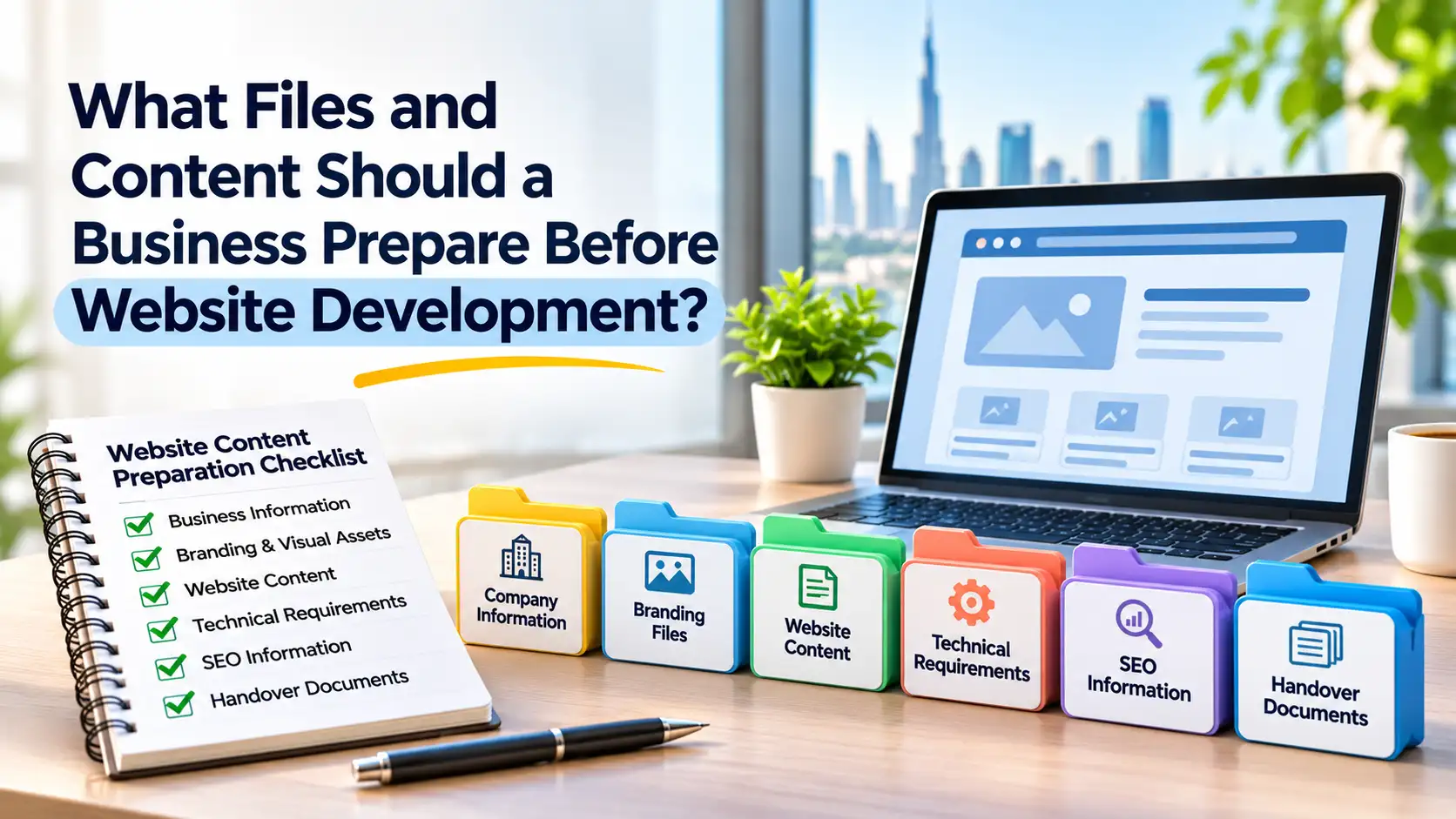
Starting a website project involves more than choosing a design and hiring a developer. Before development begins, a business needs to provide information about its company, services, branding, customers, and website requirements.
Many website projects face avoidable delays because important content is missing. A company may approve its homepage design but still need to supply service descriptions, product images, contact information, or technical details. Developers then have to request missing materials, update layouts, or change completed sections.
A practical website content preparation checklist helps businesses organise everything before the project begins. It also gives designers and developers a clearer understanding of what the website needs to communicate and how it should function.
Whether you are launching your first business website or replacing an existing one, preparing the right files and information can make the development process easier to manage.
Why Preparing Website Content Before Development Matters
Website designers and developers rely on business information to create pages that accurately represent a company. If a business requests five service pages but only provides the service names, the team cannot prepare accurate page content without further input. Similarly, a booking feature or CRM integration identified late may affect the scope and timeline.
- Reduce delays caused by missing content
- Give developers clear project requirements
- Maintain consistent branding across pages
- Avoid repeated design and content revisions
- Prepare accurate service and product information
- Identify technical requirements before development
- Make content review and approvals easier
- Plan website SEO before publishing
You do not need to have every technical answer before contacting a developer. You should know what is available, what remains to be prepared, and who is responsible for providing it.
Prepare Your Business Information and Website Requirements
Start with a document explaining your business and what you expect from the website. This gives the development team a starting point for content, functionality and design.
Company Introduction and Business Background
Prepare your official company name, background, industry, services, target customers, service areas, relevant qualifications, and contact details. A Dubai maintenance company, for example, might describe residential and commercial maintenance services, its coverage areas, and relevant certifications. Use accurate information rather than unsupported promotional claims.
Business Goals and Website Objectives
Explain whether your website should generate enquiries, take bookings, sell products, display projects, or provide customer information. A lead-generation site may require quotation forms and prominent contact buttons; an online store needs product categories, payment processing and delivery information.
Target Audience and Customer Requirements
Describe whether customers are consumers, corporate buyers, property owners, retailers or other businesses. Identify the markets and languages the site must support. For example, English and Arabic content should be planned early because multilingual layouts require additional content and design work.
Products and Services Information
Provide a complete service or product list. For each service, share the name, scope, description, main benefits, target customers and quotation details. For products, provide specifications, variations, prices and availability. Explain which offerings need their own pages.
Website Features and Functionality
List required features such as contact forms, quotations, bookings, payments, product filters, customer accounts, downloadable brochures, live chat and multilingual support. You may share websites with features you like, but explain the specific functionality rather than requesting a copy of another website.
Branding Files and Visual Assets to Prepare
Branding materials help your website maintain a consistent appearance. Incomplete or low-resolution files may require recreation or replacement.
Company Logo Files
|
Format |
Recommended use |
|
SVG |
Scalable logos and website graphics |
|
PNG |
Transparent logo versions |
|
WebP |
Optimised website images when supported |
|
AI / EPS / PDF |
Original vector artwork when available |
Include approved full-colour, white and dark variations when available, and identify the official version.
Brand Colours and Fonts
Share your brand colour codes, approved typefaces and identity guidelines. If no formal guide exists, provide existing brochures, business cards, company profiles and marketing materials for visual context.
Business Photographs and Images
Provide original high-quality office, team, product, project, facility or service photos as appropriate. Use clear filenames such as dubai-office-reception.jpg. Confirm that your business has permission to publish every image.
Marketing and Promotional Materials
Brochures, product catalogues, presentations and company profiles can provide background information. The text may still need adapting for clear, mobile-friendly website content.
Website Content Preparation Checklist for Every Important Page
Create a clearly labelled document for each main page or combine pages in a single document with distinct headings and approval status.
Homepage Content
- Main heading
- Short company introduction
- Important service or product overview
- Customer benefits
- Approved testimonials or selected projects
- Calls to action
- Banners and supporting images
About Us Page Content
- Company history and background
- Experience and working approach
- Team information and approved photographs
- Relevant qualifications and achievements
Services and Individual Service Pages
- Service title and scope
- Customer problems addressed
- Process or deliverables
- Benefits and relevant photographs
- Service-specific FAQs
- Enquiry option
Product Descriptions and Product Information
- Product name, SKU and description
- Price and currency
- Sizes, colours or variations
- Specifications and stock information
- Product photographs
- Shipping information where applicable
Contact Us Page Information
- Official name and business address
- Phone and email
- Hours and locations
- Social links
- Required contact or quotation form fields
Frequently Asked Questions
- Actual customer questions
- Concise approved answers
- Relevant service or policy details
Testimonials and Case Studies
- Approved customer reviews
- Publication permissions
- Project requirement and work completed
- Results or outcomes that can be substantiated
Team and Company Profile Information
- Names and job titles
- Approved biographies and credentials
- Professional photographs
Blog and Resource Content
- Initial original articles if required
- Topics and publishing responsibilities
- Article images and internal links
For ecommerce websites with many products, prepare a structured spreadsheet and confirm the developer’s required import format before filling it in.
Documents and Information Required Before Website Development
The website project content requirements should explain both the approved content and the agreed scope.
|
Document |
What it should contain |
Format |
|
Company profile |
Background and company details |
DOCX / PDF |
|
Website content |
Approved text for each page |
DOCX / Docs |
|
Website sitemap |
Page list and hierarchy |
XLSX / PDF |
|
Brand guidelines |
Logos, colours and fonts |
|
|
Image library |
Approved banners and photos |
Folders |
|
Service information |
Details of individual services |
DOCX / XLSX |
|
Product catalogue |
Products, prices and variations |
XLSX / CSV |
|
Feature requirements |
Forms, payments and integrations |
DOCX |
|
Design preferences |
Example websites and specific notes |
PDF / DOCX |
|
SEO information |
Target pages and current URLs |
XLSX |
Not every small business needs all these documents. Match the package to the project scope.
Technical Information and Access Requirements
Domain and Hosting Details
Tell the developer where the domain is registered and whether you already have hosting. Note any business email services associated with the domain before DNS updates, as changes can affect email delivery.
Security note: Never share passwords, recovery codes, API keys or other sensitive credentials in regular content documents or unsecured emails. Use a trusted password manager, secure access-sharing process, or temporary role-based account.
Existing CMS or Website Information
For redesigns, identify the present platform, such as WordPress, Shopify, WooCommerce or a custom CMS. Provide the live URL, important plugin and feature details, and information about content that must be preserved. Grant secure access only when necessary.
Third-Party Integrations
- CRM and email marketing systems
- WhatsApp or live chat
- Booking and scheduling
- Shipping and delivery
- Payment gateways
- Business management applications
For each integration, explain what should happen. For example, which form fields should be sent to the CRM and which team should receive them?
API Documentation and Integration Details
For custom integrations, the team may request technical documentation, sandbox access and test information. Share restricted credentials separately through secure methods, not in public spreadsheets.
Existing Website Backup and Migration Requirements
Identify pages, articles, images, product data, customer records, orders and SEO settings that must be preserved. Ask the team to confirm the backup, migration and testing approach before live changes are made.
SEO Information to Prepare Before Development
Target Keywords and Important Services
Share existing keyword research and page-to-keyword mapping. Each important page should serve a clear purpose. Avoid creating overlapping pages for the same search intent.
Existing Website URLs
Provide a list of valuable current pages. Identify URLs that should stay the same and those that may need redirects during a redesign.
SEO Titles and Meta Descriptions
Include current metadata or the proposed titles and descriptions for new pages. A useful SEO spreadsheet has page name, URL, target topic, SEO title, meta description and content status.
Existing Website Sitemap and Internal Links
Share an XML sitemap or page inventory. Identify important links between main service pages, detailed services and supporting informational articles.
Image ALT Text and Descriptions
Provide descriptive information for meaningful images. For example: “Technician inspecting an air conditioning unit inside an office.” Decorative images may not need descriptive ALT text.
Google Search Console and Analytics
Tell the team about existing Search Console and Analytics properties. Grant access through official permission features rather than sharing your personal login.
Redirect Planning for Website Redesigns
List old URLs that will move or disappear and their suitable new destinations. Proper redirects and updated internal links help users reach the intended content.
How to Organise Website Content Handover Documents
Use one agreed shared location and clearly separate approved materials from drafts. This makes content handover documents easier to review and use.
Example Folder Structure
Company-Website-Project/
- Company-Information/ — Company-Profile.docx; Business-Contact-Details.docx
- Website-Content/ — Home-Page.docx; About-Us.docx; Service-Pages.docx; Contact-Page.docx
- Branding/ — Official-Logo.svg; Brand-Guidelines.pdf
- Images-and-Media/ — Homepage-Banners/; Product-Images/; Team-Photos/
- Technical-Requirements/ — Website-Features.docx; Integration-Requirements.docx
- SEO/ — SEO-Page-Mapping.xlsx; Existing-URLs.xlsx
Do not place passwords, access tokens or confidential credentials in these folders.
Use Consistent File Names
Use names such as Office-Cleaning-Page-Approved.docx instead of Content-Final-New-2.docx. Include version numbers or dates for revisions.
Separate Draft and Approved Content
Label materials Draft, Under Review or Approved. Only approved information should be treated as final for publishing.
Add Notes for Images and Page Sections
Example: Page: About Us | Section: Our Team | Image: team-group-photo.jpg | Instruction: use this approved photograph below the team introduction.
Assign One Person to Approve Content
Name a content coordinator who consolidates feedback, confirms changes and sends the approved package to the development team.
Practical Website Content Handover Checklist
|
Preparation item |
Purpose |
Suggested format |
Status |
|
Company profile and business details |
Introduce company |
DOCX / PDF |
☐ |
|
Approved page content |
Populate pages |
DOCX / Docs |
☐ |
|
Website sitemap and page list |
Confirm scope |
XLSX / PDF |
☐ |
|
Logo and brand guidelines |
Brand consistency |
SVG / PNG / PDF |
☐ |
|
Service and product details |
Explain offerings |
DOCX / XLSX |
☐ |
|
Website images and media |
Support layouts |
JPG / PNG / WebP |
☐ |
|
Contact details and forms |
Enable enquiries |
DOCX |
☐ |
|
Features and integrations |
Define functionality |
DOCX / XLSX |
☐ |
|
Existing URLs and SEO information |
Support SEO continuity |
XLSX |
☐ |
|
Content approvals |
Confirm readiness |
Approval record |
☐ |
Common Website Content Preparation Mistakes to Avoid
Starting Development Without Approved Content
Placeholder text may help during initial design, but late text changes can affect layouts and cause rework.
Providing Low-Quality Images
Send original files whenever possible instead of small, blurry or heavily compressed copies.
Missing Important Company Details
Check every page for accurate contact information, office details and necessary company information.
Changing Requirements During Development
Important new features can affect project scope, budget and timing; document changes and approvals.
Ignoring SEO During Content Preparation
Plan page topics, current URLs, internal linking and metadata before launch.
Submitting Incomplete Product Information
Verify product names, images, variants, prices and specifications before importing the catalogue.
Sending Files Across Multiple Unrelated Messages
Keep the latest approved versions in one agreed location instead of scattered across message threads.
Step-by-Step Website Development Preparation Process
- Confirm the website purpose, target customers, features and launch scope.
- Prepare a sitemap and complete list of required website pages.
- Collect approved company information, logos, guidelines and photographs.
- Write and review homepage, service, product, contact and FAQ content.
- Identify domain, CMS, hosting, integrations and migration requirements.
- Gather target keywords, current URLs, metadata and redirect needs.
- Organise content into clearly named folders, keeping drafts separate.
- Review missing materials, required documents and third-party dependencies.
- Get final approval from the responsible business representative.
- Share the approved project files and grant any necessary technical access securely.
How Professional Web Development Teams Help With Content Preparation
Not every company has an internal content writer, designer or technical manager. A professional team can help define page requirements, identify missing content, advise on image formats and clarify technical information required for integrations. They can also help agree which information needs approval before design and which can be completed during development.
For businesses seeking Web Development Dubai services, DubaiWeb Design provides website development solutions for business websites, ecommerce projects and content management systems.
Conclusion
Preparing website content before development helps businesses explain their requirements and avoid unnecessary confusion. The essential materials include company information, approved page text, branding, photographs, service and product data, technical requirements, and relevant SEO details.
Clear folders and content handover documents give developers a reliable starting point. A good project does not require business owners to understand every technical detail; it requires accurate information, clear responsibilities and an organised approval process. Using a website content preparation checklist is a practical way to start.
Frequently Asked Questions
What should I prepare before starting website development?
Prepare your company profile, goals, page list, branding, service or product details, photographs, contact information and required features. Existing websites may also need URLs, backups and SEO details.
What files does a web developer need from a business?
Developers commonly need logo files, written content, business photographs, a sitemap and feature requirements. The exact list depends on the project.
Do I need to write website content before development?
Prepare the main content before detailed layouts are finalised whenever possible. Some items can be completed during development if responsibilities and approvals are clear.
What documents are included in a website content handover?
Typically a company profile, page content, website sitemap, brand guidelines, image folders, feature requirements and relevant SEO files.
Which image formats are best for website development?
SVG works well for scalable logos; JPEG, PNG and WebP are common image formats. Choose based on transparency, visual quality and performance needs.
How do I prepare my business information for a new website?
Gather your official business name, background, services, target audience, contact details, locations and relevant company information; review it for accuracy.
Can a web development company help create website content?
Yes. Some teams provide content writing or content planning, while others require client-supplied materials. Agree on responsibilities before work begins.